Thermal scope clicking is the most frequently reported non-fault in thermal optics. A soft click arrives every minute or two, the image holds still for a fraction of a second, and the owner concludes something inside has worked loose. Nothing has. The optic is correcting its own sensor against a reference, and the operation has a name printed on ATN specification sheets: Non-Uniformity Correction, or NUC. Below is what drifts, why it cannot be fixed with maths alone, and how the modes ATN publishes for the ATN ThOR 6 640x512 | 2-16x differ.
The click is a calibration event, not a malfunction. The scope is measuring a uniform reference and subtracting its own drift from everything you see next.
What the click is
It is a Non-Uniformity Correction, and ATN gives it a one-line definition in the ThOR 6 Mini manual: NUC “corrects temperature drift and sensor noise.” Both halves matter. Drift comes from the optic warming or cooling. Sensor noise here is not the random speckle of a dark night; it is a fixed pattern — faint bands, blotches or a grid that stays in one place on the screen while the scene moves behind it. A correction re-measures that pattern and removes it.

Why thermal scope clicking happens at all
Because a thermal detector has no fixed zero. A 12µm VOx uncooled focal plane array — the detector in the ThOR 6 640x512 | 2-16x — lets infrared energy change the electrical resistance of several hundred thousand tiny elements. Four things follow.
- Every element responds slightly differently. No two microbolometers on a wafer are identical, so an evenly warm wall does not produce an evenly bright frame. The factory measures that difference and stores a correction map.
- The array is uncooled, so it sits at the temperature of the optic. Nothing holds the detector at a fixed point; it warms with the electronics and cools with the night air.
- When the temperature moves, the stored map stops matching. The scene is measured against a baseline recorded at a different internal temperature, and the error shows as a fixed pattern over the picture.
- The only cure is a fresh reference. The optic looks at a single uniform temperature, records what a flat scene looks like now, and uses that frame as the new zero.
A kitchen scale makes the same bargain. It reads correctly because someone pressed tare with an empty pan, and the longer it sits in a warming kitchen the further its zero creeps. Thermal optics press tare for you, on a schedule.
Where the uniform reference comes from
From a shutter, in most designs — a small blade that swings across the optical path, presents the array with one flat temperature, and swings back. ATN names that component in two current Gen 6 documents. The ThOR 6 Mini manual lists a Burning Warning, where “a warning message appears and the shutter closes if a sensor overheating risk is detected.” The ODIN 6 MFT manual describes a Quiet NUC: “user-initiated via ENTER button without activating the internal shutter; requires a uniform temperature object in front of the lens.”
That second line states the principle by exception: remove the shutter and the user supplies the flat reference by hand. The BlazeTrek Gen 6 manual spells out the same manoeuvre on a monocular, where manual NUC means “close lens cap + hold Down button.” The lens cap is doing the shutter's job.
Three corrections that get confused with each other
NUC is one of three repairs a thermal channel performs, and each fixes a different failure.
| Stage | What it fixes | What ATN publishes |
|---|---|---|
| NUC | Temperature drift and fixed-pattern sensor noise across the whole array | Auto / Semi Auto / Manual on the ThOR 6 640x512 | 2-16x specification sheet |
| Pixel Correction | Individual defective pixels that read wrong no matter the scene | Auto / Manual / Restore in the ThOR 6 Mini manual, under Settings |
| SharpIR© | Scene clarity — edge definition and target contrast, in real time | Listed as its own line on the ThOR 6 640 specification sheet |
Only NUC runs on a timer and interrupts you, and no amount of processing recovers a frame measured against a stale baseline. For what the processing layer does with a corrected frame, see how SharpIR AI actually works.
What Auto, Semi Auto and Manual mean
They describe who decides when the correction runs. ATN publishes the mode names for the ThOR 6 640x512 | 2-16x as a specification line, not as an algorithm, so what follows is the spectrum of control those names describe, not a menu path I have invented.
- Auto. The optic schedules corrections itself — the right default for most nights, at the cost of a click arriving whenever the sensor decides it needs one.
- Semi Auto. A middle setting that hands part of the timing back to the operator. On the BlazeTrek Gen 6 monocular, ATN documents Semi-Auto as a button hold: the shutter still works, but you choose the moment.
- Manual. Nothing happens until you ask. On the ODIN 6 MFT, manual NUC is “initiated by a short press of the ENTER button on the main screen”; on the ThOR 6 Mini, a short press of the power button on the Home screen does the same job.
The mode list is not uniform across the line, so do not assume. The ThOR 6 640 and the ThOR 6 Mini 640 publish three modes; the ODIN 6 MFT publishes two, Auto and Manual, plus the shutter-free Quiet NUC above.
Is thermal scope clicking a problem in the field?
Only when it arrives at the wrong moment. The correction is brief, but during it the display holds the previous frame, and an animal that steps behind cover in that interval was never shown to you. The fix is timing rather than settings: trigger a correction yourself before a sequence starts, the way you would check focus, so the optic is unlikely to want one while something is moving.
What to look for before buying
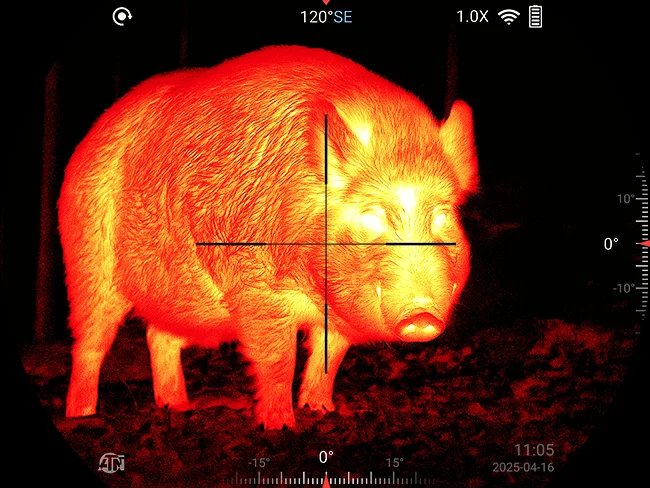
Read the NUC line on the specification sheet, not the marketing copy. Three published modes mean the optic will let you take the timing into your own hands; two mean you choose between automatic and on-demand. Check the operating temperature range next, because drift is a thermal problem: the ThOR 6 640x512 | 2-16x is rated from -30°C to 55°C (-22°F to 131°F), and the wider the span, the more work a correction does at the ends of it. Then look at what the sensor gives the correction to work with — 640×512 at ≤15mK NETD on a 12µm array. Low NETD means faint signatures survive, and a correction keeps them from being buried under a pattern that is not part of the scene. The lens side of that equation is covered in our guide to germanium thermal optics.
Common mistakes with thermal scope calibration
The first is treating the click as a defect and sending a working optic for service. The second is running a manual correction while pointed at a detailed scene: the reference frame has to be flat, which is why ATN specifies a closed lens cap on the BlazeTrek and a uniform-temperature object for Quiet NUC. Point at the horizon and you have told the optic that a treeline is what nothing looks like. The third is adjusting brightness, contrast or sharpness to chase a pattern a correction would have removed in half a second. The fourth is blaming calibration for an image that is simply out of focus — the ODIN 6 MFT troubleshooting table separates these, listing “image flickers or degrades over time” under NUC and blurriness under the focus ring. The fifth is expecting corrections to stop once the optic is warm; they slow down, but ambient temperature keeps moving, which is why the cold is its own subject below freezing.
Calibration on the ATN ThOR 6 640x512 | 2-16x
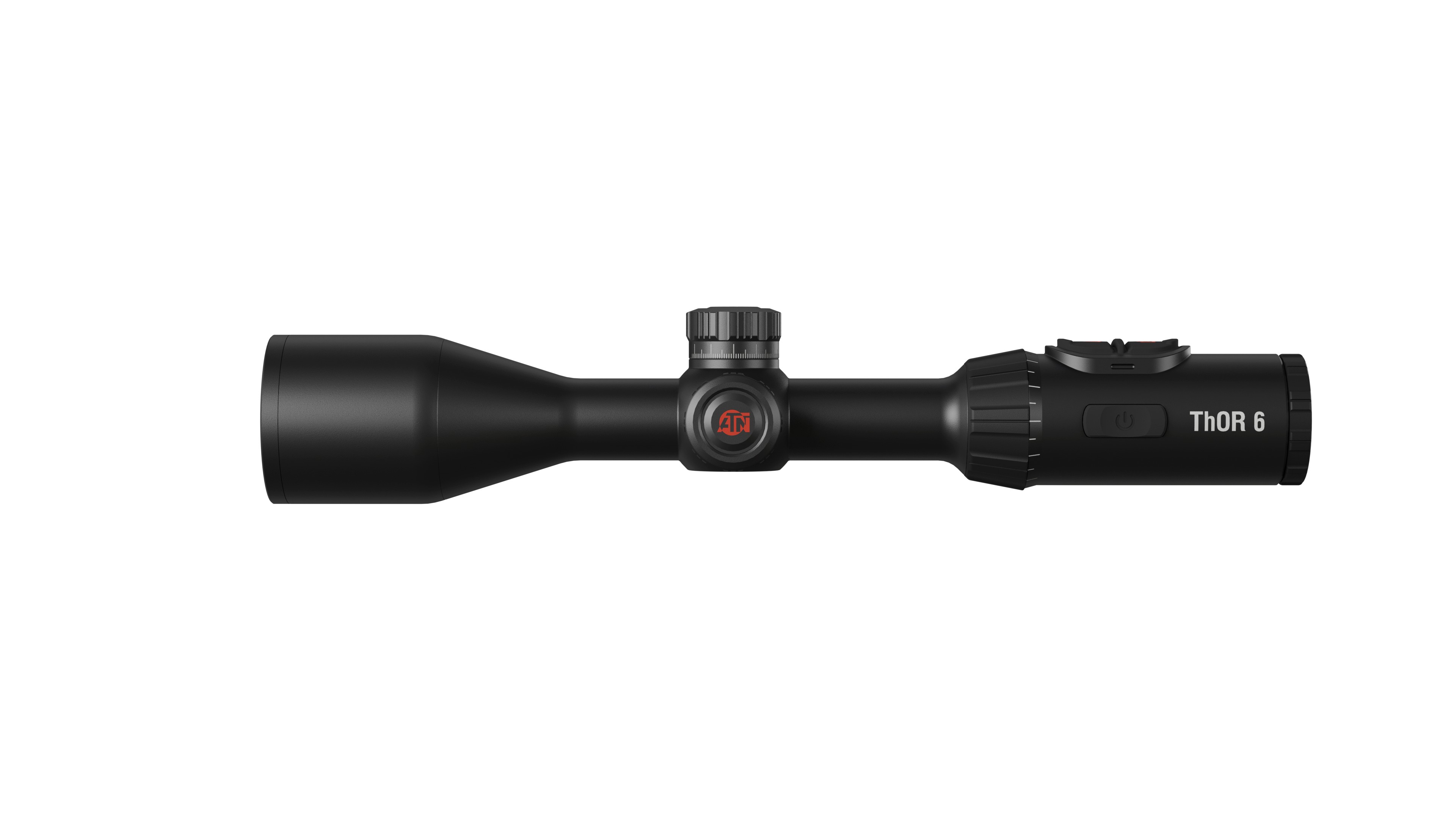
This model is the reference here because its specification sheet states the NUC modes plainly: Auto / Semi Auto / Manual. The ThOR 6 640x512 | 2-16x (SKU TIWST6635A) runs a 12µm VOx uncooled focal plane array at 640×512 and ≤15mK NETD, 50 Hz refresh, a 35 mm germanium lens at F/1.0 and 2-16× magnification; ATN rates detection to 3100 m. One internal 18650 plus one replaceable 18650 give around 9 hours, and the magnesium-alloy body is IP67 at 830 g / 1.83 lbs. ATN lists it at $3,625, with a current promotional price of $2,295.
Is learning manual calibration worth it?
Yes, and it costs one evening. Auto handles most of a night, but the part that matters is the minute before you expect something to appear. An operator who can force a correction on demand controls when the picture pauses; one who cannot is waiting for the optic to decide.
Thermal scope clicking: common questions
Why does my thermal scope click every minute or two?
It is performing a Non-Uniformity Correction. ATN describes NUC as correcting temperature drift and sensor noise, which requires the optic to look at a uniform reference and rebuild its baseline. The interval shortens while the optic warms up and stretches once its internal temperature settles.
Is the clicking a sign my thermal scope is broken?
No. A regular, soft click paired with a brief image freeze is the correction running as designed, and every uncooled thermal detector needs it. Treat clicking as a fault only if a pattern persists that the correction never clears.
Can I turn thermal scope calibration off?
You can change who triggers it, not whether it is needed. ATN publishes Auto, Semi Auto and Manual for the ThOR 6 640x512 | 2-16x. Manual stops the automatic clicks, but the array still drifts, so correcting it before the picture degrades becomes your job.
What is the difference between NUC and pixel correction?
NUC corrects temperature drift and fixed-pattern noise across the whole array, repeatedly. Pixel correction fixes individual defective pixels as a one-off repair; the ThOR 6 Mini manual lists its modes as Auto, Manual and Restore under Settings. A dead pixel is not cured by a NUC.
Should I cover the lens when running a manual calibration?
On devices where ATN specifies it, yes. The BlazeTrek Gen 6 manual defines manual NUC as closing the lens cap and holding the Down button, and the ODIN 6 MFT requires a uniform-temperature object in front of the lens for Quiet NUC. The reference frame must be flat.
The short version
Thermal scope clicking is a sensor being re-zeroed, not a part coming loose. An uncooled array drifts with its own temperature, and the only honest fix is a fresh look at a uniform reference — an internal shutter, a closed lens cap, or a flat surface you choose. ATN publishes the modes that decide who starts that process, and on the ThOR 6 640 they are Auto, Semi Auto and Manual. Pick the one that suits your night and the click stops being a question. To compare current models, browse the ATN thermal scopes range.
Quick reference
- Featured optic: ATN ThOR 6 640x512 | 2-16x, SKU TIWST6635A
- Calibration: Non-Uniformity Correction, published as Auto / Semi Auto / Manual
- Detector: 12µm VOx uncooled focal plane array, 640×512, 50 Hz, ≤15mK NETD
- Optics and range: 35 mm germanium, F/1.0; 12.52° × 9.41° field of view; detection to 3100 m
- Power and build: two 18650 batteries, ~9 hrs; 830 g / 1.83 lbs; IP67; -30°C to 55°C